Every business depends on documents, but in retail, e-commerce and logistics, a document delay can quickly become an operational delay. From invoices and contracts to employee records and supplier documentation, information flows through every department every day. Yet many organisations still rely on emails, spreadsheets and manual approvals to manage these documents, creating delays, increasing the risk of errors and making collaboration more difficult. This is where document workflow automation transforms the way businesses operate. Instead of chasing signatures, manually entering data or searching through folders, organisations can automate repetitive document tasks, route files to the right people instantly and maintain complete visibility over every stage of the process. Businesses looking to modernise their operations often start by identifying repetitive document processes that can be automated. This is where partners such as we.simplify help organisations design practical automation workflows that fit existing business operations rather than disrupting them.
As UK businesses continue investing in digital transformation, efficient document handling has become a competitive advantage rather than simply an administrative improvement. Government research also shows that around 83% of UK businesses now handle digital data, highlighting the growing importance of efficient digital processes. This guide explains what document workflow automation is, how it works, its benefits, and the best practices for implementing it successfully.
What Is Document Workflow Automation?
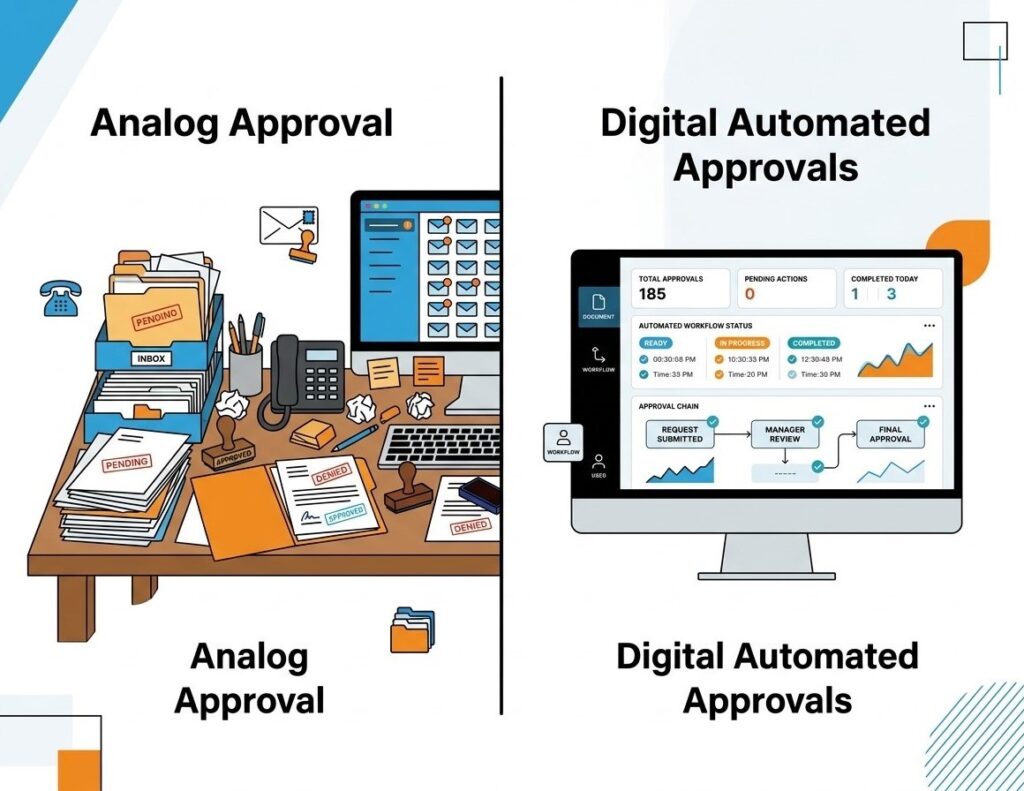
It is the process of using software to manage, route, approve, store and track documents with minimal manual intervention. Rather than relying on employees to move documents between departments, automated workflows follow predefined rules that ensure every document reaches the right person at the right time.
A typical workflow includes:
- Capturing documents from emails, scanners or online forms
- Extracting relevant information
- Routing documents for review or approval
- Sending automatic notifications
- Storing completed files securely with an audit trail
Many businesses combine document management automation with cloud storage, business applications and collaboration platforms to create a seamless digital environment.
Why Businesses Are Investing in Document Workflow Automation
As organisations grow, so does the number of documents they process. Manual systems that once worked for a small team often become bottlenecks, slowing operations and increasing administrative costs. Implementing document workflow automation offers several measurable advantages. Rather than automating everything at once, we.simplify helps businesses prioritise the processes that deliver the quickest operational improvements and highest return on investment.
Reduced manual work and fewer errors
Employees spend less time entering information repeatedly or searching for files. Modern automated document processing can capture information directly from invoices, forms and contracts using OCR (Optical Character Recognition) and PDF data extraction, significantly reducing data entry mistakes.
Faster approvals
Automated routing eliminates the need to email documents between departments. A structured document approval workflow sends files directly to the appropriate reviewer, issues reminders when deadlines approach and escalates overdue approvals automatically. A good example is Microsoft, where automated document approvals and digital workflows are widely embedded across internal business operations. By reducing manual handoffs and standardising approval processes, large organisations can improve efficiency while maintaining stronger governance and compliance.
Better compliance
Industries such as healthcare, finance and legal services require strict record keeping. Automated systems maintain version control, record every action through an audit trail, and ensure documents cannot be modified without authorisation.
Improved collaboration
Employees can access current documents from any authorized location, avoiding duplicate copies and confusion caused by outdated versions.
Lower operating costs
Reducing paper usage, printing expenses, storage requirements and administrative labor helps businesses move closer to a true paperless office, while improving operational efficiency.
Documents You Can Automate
Almost every business handles documents that follow predictable processes, making them ideal candidates for automation.
- Invoices and purchase orders: Incoming invoices can be scanned and processed using automated document processing before being matched against the corresponding purchase order and delivery receipt. This three-way matching process verifies that what was ordered, invoiced and delivered aligns before payment is approved. For fast-paced retail and logistics operations, automating these checks can reduce payment errors, identify discrepancies earlier and prevent incorrect invoices from moving through the process.
- Contracts and agreements: Contracts can move through predefined approval chains, receive e-signatures, and automatically notify stakeholders when renewals are approaching. For logistics businesses, these alerts can also support active monitoring of carrier Service Level Agreements (SLAs), helping teams review renewal dates, track contractual requirements and take action before agreements lapse or performance issues go unresolved.
- Employee onboarding: Employment contracts, tax forms, training documents and policy acknowledgements can all be completed digitally. For retailers and warehouse operations that regularly hire large numbers of staff, particularly ahead of peak trading periods, automated onboarding can help process new starters quickly and consistently without creating additional administrative pressure for HR teams.
- Vendor or distributor onboarding: Supplier and distributor applications can be collected digitally, validated automatically, assigned to the relevant teams and tracked throughout the onboarding process. For B2B e-commerce and retail operations, this can accelerate supplier onboarding while ensuring required documentation and approvals are completed before trading begins.
- Compliance documents: Policies, certifications and regulatory documentation can follow scheduled review cycles while maintaining complete version control for audit purposes.
How Document Workflow Automation Works
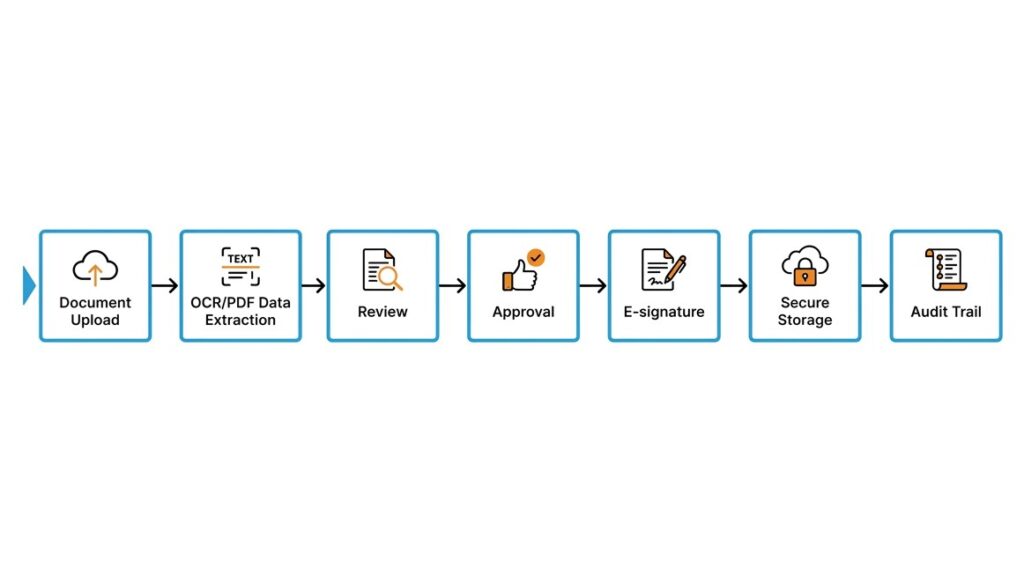
Although every organisation has unique requirements, most automated workflows follow a similar sequence.
Document capture
Documents enter the system through scanners, emails, cloud storage or online forms. Paper documents are digitised using OCR, while PDF data extraction identifies important information such as names, invoice numbers, dates and payment amounts.
Routing and approvals
After the information is captured, business rules determine where each document should go next. A purchase invoice might move to finance, while a supplier contract is automatically assigned to legal and procurement teams. Because document workflow automation follows predefined rules, documents no longer sit unnoticed in inboxes or shared folders waiting for manual action.
Notifications and reminders
Manual follow-ups often consume valuable working hours. Automated notifications ensure reviewers know when a document requires attention, while reminder emails reduce delays caused by missed approvals. If a deadline passes, the system can escalate the request to another manager, keeping work moving without constant intervention. These automated alerts make every document approval workflow more transparent and predictable, helping businesses meet internal service levels and external compliance requirements.
Storage and audit trails
Once approved, documents are securely stored in a central repository where authorized employees can quickly retrieve them. Every action, including uploads, edits, approvals and downloads, is recorded in an audit trail, giving organisations complete visibility over the document’s lifecycle.
This traceability is particularly valuable for retailers and logistics businesses dealing with stock or shipping disputes. Teams can quickly identify when a record was created or changed, who approved it and what information was available at each stage, helping them investigate inventory discrepancies and resolve disputes more efficiently.
Every organisation’s workflows are different. we.simplify builds tailored automation solutions that integrate with existing systems, ensuring documents move seamlessly across departments without unnecessary complexity.
Key Features to Look For
The effectiveness of document workflow automation depends on selecting a solution that matches your business needs. The right platform should simplify document management automation, improve collaboration and support secure, efficient document handling from start to finish.
- Visual workflow builder
Create and modify workflows using drag-and-drop tools without needing extensive technical expertise. - E-signatures
Enable legally recognised digital signatures to speed up approvals and eliminate printing and scanning. - System integrations
Connect with accounting software, CRM platforms, ERP systems and cloud storage to create a seamless flow of information. - Role-based permissions
Restrict document access according to employee responsibilities, improving both security and compliance. - Reporting and analytics
Monitor processing times, identify bottlenecks and measure the effectiveness of your document management automation initiatives.
Choosing the right software is only part of the equation. we.simplify helps businesses configure and optimise document workflows so teams gain measurable efficiency from day one.
Common Challenges and How to Overcome Them
While document workflow automation delivers significant operational benefits, successful implementation requires careful planning. Understanding common obstacles early allows businesses to minimise disruption and maximise the value of their investment.
- Employee resistance to change
Provide practical training, explain the benefits and involve staff early in the implementation process. - Inefficient existing processes
Simplify and standardise workflows before automating them to avoid digitising unnecessary steps. - Integration difficulties
Choose platforms that offer APIs and built-in integrations with your existing business applications. - Data security and compliance concerns
Implement encryption, access controls and regular security reviews while ensuring compliance with UK data protection requirements.
Best Practices for Successful Implementation
Implementing document workflow automation is not simply about introducing new software. Following proven best practices helps organisations improve adoption, optimise document approval workflow processes and achieve long-term operational improvements.
- Start with repetitive, high-volume processes
Automate tasks such as invoice approvals, onboarding documents and contract management to achieve quick wins. - Standardise workflows first
Clearly define responsibilities, approval stages and document ownership before introducing automation. - Train employees thoroughly
Ensure staff understand both the software and the updated business processes to maximise adoption. - Monitor and optimise continuously
Review workflow analytics regularly to identify delays, refine routing rules and improve efficiency over time.
Transform Your Business with Smarter Document Workflows
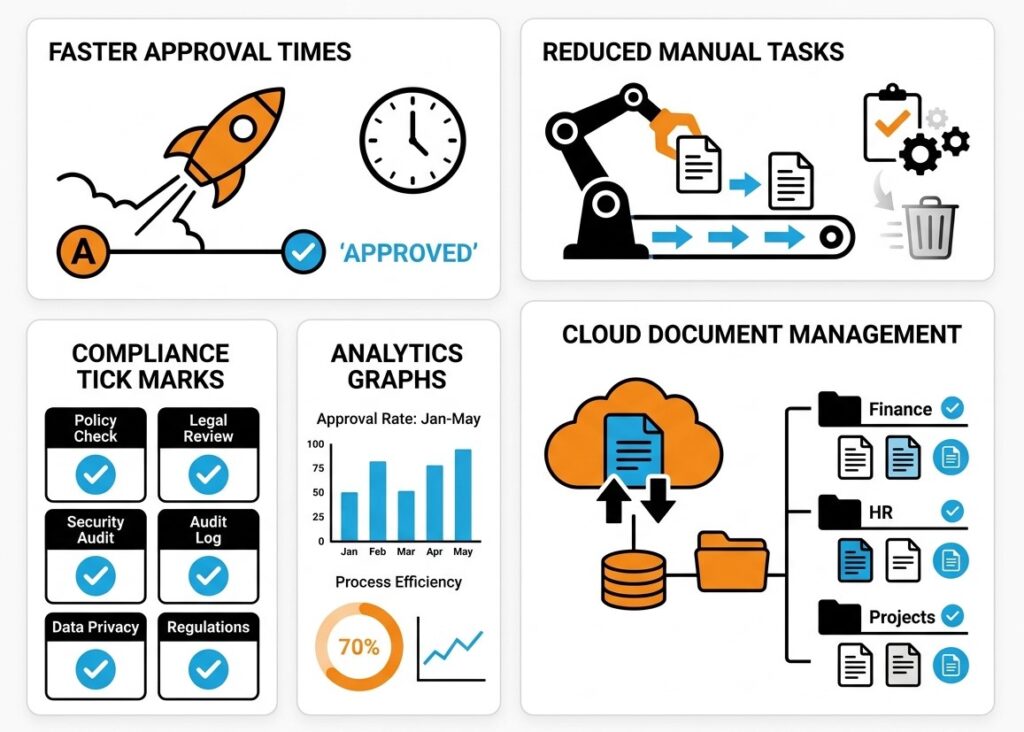
Managing documents manually is no longer sustainable for businesses aiming to improve efficiency, accuracy and compliance. From capturing information through OCR and PDF data extraction to automating approvals, maintaining version control and creating a secure paperless office, modern solutions eliminate many of the delays associated with traditional document handling.
Whether processing invoices, managing contracts or handling employee records, document workflow automation enables organisations to reduce administrative effort, improve collaboration and maintain complete visibility over every document. By selecting the right platform, refining existing processes and implementing automation strategically, businesses can create faster, more reliable workflows that support long-term growth.
Ready to eliminate manual document bottlenecks? Discover how we.simplify can design intelligent document workflow automation solutions tailored to your business.